Creating Tripwires
A step-by-step guide to creating tripwires from the dashboard for different detection scenarios.
No Account? No Problem
This guide covers creating tripwires from the dashboard. For document tripwires without an account, see Create Free Tripwire.
The Create Page
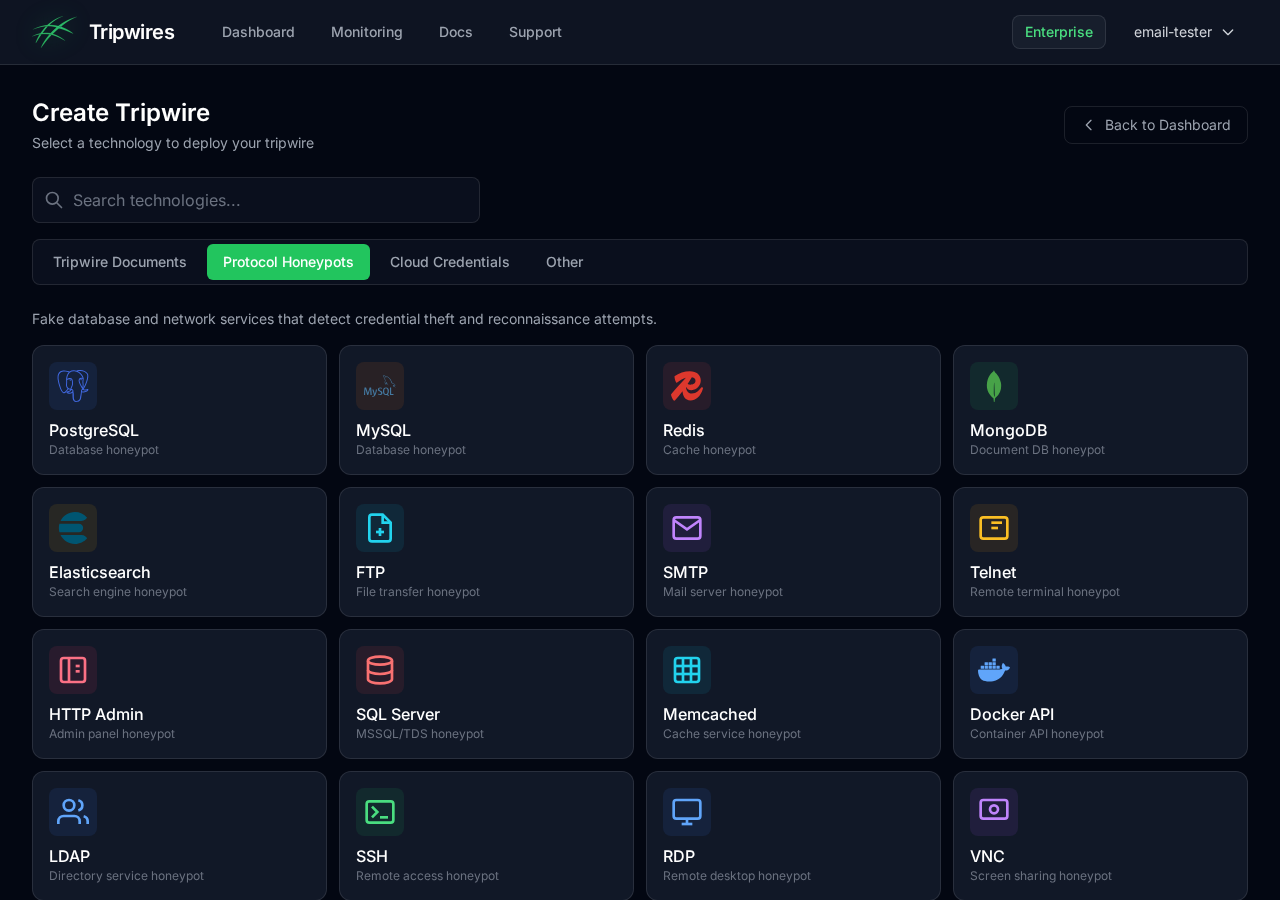
From the dashboard, click the "Create Tripwire" button in the top-right corner to open the dedicated creation page.
Choosing a Tripwire Type
The create page displays all available tripwire types organized by category. Use the tabs to switch between categories or the search bar to find a specific type:
Protocol Honeypots
These tripwires generate fake service credentials that trigger alerts when someone attempts to connect:
Tripwire Documents
These tripwires are downloadable files that trigger alerts when opened:
Cloud Credentials
Generate fake cloud provider API keys that alert when used. Only AWS is available today
(aws_session); Azure and GCP are not yet supported and are rejected by the API, CLI and MCP server:
QR Codes
QR codes for physical security that trigger when scanned:
Print and place on physical assets - server rooms, equipment, documents
Phishing Detection
Detect when your own site is cloned for a phishing campaign:
A JavaScript snippet you embed in your pages. It fires only when the page is served from a hostname you haven't allow-listed — i.e. when a phishing kit clones it onto another domain — and reports the cloning domain and referrer. Zero false positives on your own site.
The token generates a ready-to-embed .js file. List your real hostnames in its
EXPECTED_HOSTS array, then drop it into the pages attackers are most likely to clone —
your login and password-reset
pages. Any use of the clone raises an alert with the attacker's staging domain and the victim's source.
Redirect URLs
A link that records the visit and then sends the visitor on to a destination URL you choose, so whoever clicks it lands somewhere believable and never sees an error page:
Records the hit and answers with an immediate HTTP 302 to your destination. Works for any client, including curl and link previewers.
Records the hit, shows a brief loading page that reports screen size, time zone, language and platform, then forwards to your destination (at most 3 seconds; immediately without JavaScript).
- The destination must be an absolute
http://orhttps://URL of at most 2,048 characters, with no username or password in it. Anything else is rejected with a400when you create or edit the tripwire. - You can change the destination later with the CLI (
tripwire update <id> --dest <url>), the MCP server, or the API (destination_urlin a tripwire update). Links you already handed out keep working, because the destination is looked up on every visit rather than baked into the URL. A change takes up to a minute to reach every sink. - The destination is only ever read from your tripwire, never from the request, so the tracking URL can't be abused as an open redirect. An unknown, deleted or expired link answers
404. - The visit is recorded before the redirect is sent, so you're alerted even if the visitor never reaches the destination. The destination site doesn't receive the tracking URL as a referrer.
Self-hosted: the control server answers redirect URLs itself when the HTTP sink host
(SINK_HOST) points at it, which is the default in the Terraform module. If you point SINK_HOST at the
sink instead, the sink fetches the destination from the control server's /ingest/redirect/<id> endpoint
using the same INGEST_TOKEN it already sends detections with. No extra configuration is needed, but the sink
has to be a release that includes this lookup.
Technology Reference (API, CLI & MCP)
Every type on the create page is also creatable from the REST API (POST /tripwires),
the CLI
(tripwire create <technology>) and the
MCP server
(create_tripwire) using the same technology slug. The low-level
type (dns, tcp or aws) is derived from the technology,
so you only need to send technology:
curl -X POST https://api.gettripwires.com/tripwires \
  -H "Authorization: Bearer $TRIPWIRE_API_KEY" -H "Content-Type: application/json" \
-d '{"name":"prod-db-replica","technology":"postgresql"}'| technology | Name | Category | type | Create returns |
|---|---|---|---|---|
docker_api | Docker API | Protocol honeypot | tcp | Honeypot username (tcp_username) |
elasticsearch | Elasticsearch | Protocol honeypot | tcp | Honeypot username (tcp_username) |
ftp | FTP | Protocol honeypot | tcp | Honeypot username (tcp_username) |
http_admin (alias: http) | HTTP Admin | Protocol honeypot | tcp | Honeypot username (tcp_username) |
ldap | LDAP | Protocol honeypot | tcp | Honeypot username (tcp_username) |
memcached | Memcached | Protocol honeypot | tcp | Honeypot username (tcp_username) |
mongodb | MongoDB | Protocol honeypot | tcp | Honeypot username (tcp_username) |
mssql | SQL Server | Protocol honeypot | tcp | Honeypot username (tcp_username) |
mysql | MySQL | Protocol honeypot | tcp | Honeypot username (tcp_username) |
postgresql | PostgreSQL | Protocol honeypot | tcp | Honeypot username (tcp_username) |
rdp | RDP | Protocol honeypot | tcp | Honeypot username (tcp_username) |
redis | Redis | Protocol honeypot | tcp | Honeypot username (tcp_username) |
smb | SMB | Protocol honeypot | tcp | Honeypot username (tcp_username) |
smtp | SMTP | Protocol honeypot | tcp | Honeypot username (tcp_username) |
ssh | SSH | Protocol honeypot | tcp | Honeypot username (tcp_username) |
telnet | Telnet | Protocol honeypot | tcp | Honeypot username (tcp_username) |
vnc | VNC | Protocol honeypot | tcp | Honeypot username (tcp_username) |
dns_token | DNS Token | Document / token | dns | Hostname (hostname) |
docx | Word | Document / token | dns | Generated file (download_url) |
fast_redirect | Fast Redirect | Document / token | dns | Tracking URL (needs destination_url) |
kubeconfig | Kubeconfig | Document / token | dns | Generated file (download_url) |
mysqldump | MySQL Dump | Document / token | dns | Generated file (download_url) |
pgdump | PostgreSQL Dump | Document / token | dns | Generated file (download_url) |
slow_redirect | Slow Redirect | Document / token | dns | Tracking URL (needs destination_url) |
sqlitedump | SQLite Dump | Document / token | dns | Generated file (download_url) |
svn | SVN | Document / token | dns | Generated file (download_url) |
web_token | Web Token | Document / token | dns | Tracking URL (tracking_url) |
wireguard | WireGuard | Document / token | dns | Generated file (download_url) |
xlsx | Excel | Document / token | dns | Generated file (download_url) |
beacon_exe | Beacon Script | Execution trigger | dns | Generated file (download_url) |
cloned_site | Cloned Site | Execution trigger | dns | Generated file (download_url) |
javascript | JavaScript | Execution trigger | dns | Generated file (download_url) |
powershell | PowerShell | Execution trigger | dns | Generated file (download_url) |
shell_script | Shell Script | Execution trigger | dns | Generated file (download_url) |
zip_windows | Windows Folder | Execution trigger | dns | Generated file (download_url) |
qr_code (alias: qr, qrcode) | QR Code | QR code | dns | Generated file (download_url) |
aws_session (alias: aws) | AWS Session Token | Cloud credentials | aws | AWS access key, secret and session token |
saml_idp | SAML IdP App | Phishing detection | dns | ACS URL + entity ID |
- Type is derived. If you also send
type, it must match the technology’s type above; a conflicting value (e.g."type":"tcp"with"technology":"docx") is rejected with400. - Aliases. The older slugs
aws,qr/qrcodeandhttpare still accepted and behave exactly likeaws_session,qr_codeandhttp_admin; the slug you send is the one stored and returned. - Not yet supported.
gcp,azure,oracle,rabbitmq,kafka,urlanddocumentare rejected with400“technology … is not yet supported”. An unrecognised slug returns400listing the valid values. - Self-hosted installations can switch each category off in System Setup; creating a disabled category returns
403. Cloud credentials are off by default on self-host.
Naming Your Tripwire
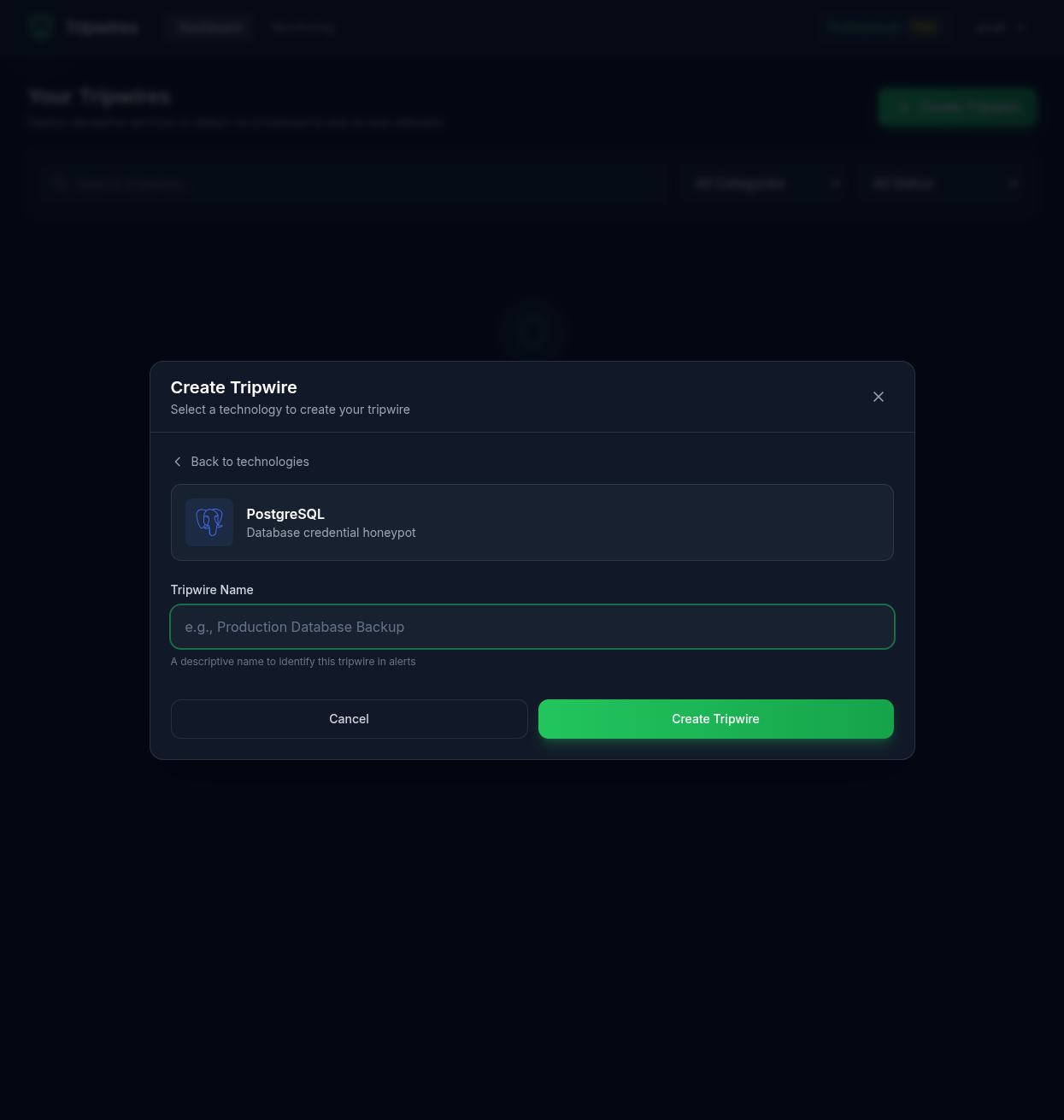
After selecting a type, you'll be prompted to enter a name. Choose a descriptive name that helps you:
- Identify the purpose - Where will these credentials be planted?
- Remember the context - What system or environment does it represent?
- Recognize in alerts - When triggered, you'll want to know immediately what was accessed
Naming Best Practices
Good Names
- ✓ Production Database Backup
- ✓ AWS Staging Redis
- ✓ Customer Data Warehouse
- ✓ Jenkins CI MongoDB
Avoid
- ✗ Test
- ✗ DB1
- ✗ Honeypot (too obvious)
- ✗ Fake credentials (too obvious)
Creating the Tripwire
Click "Create Tripwire" to generate the tripwire. The system will:
- Generate a unique hostname for your honeypot
- Create randomized, realistic-looking credentials
- Configure the detection endpoint
- Activate monitoring immediately
After Creation
Once created, you'll be redirected to the tripwire details page where you can view and copy the generated credentials. See the Tripwire Details documentation for more information.
Important Security Note
Tripwire credentials are designed to look realistic. Make sure your team knows which credentials are honeypots to avoid accidentally triggering alerts during legitimate operations.