Elasticsearch Honeypot
Detect unauthorized access attempts targeting Elasticsearch clusters.
About Elasticsearch
Elasticsearch is a distributed search and analytics engine, commonly used for log aggregation, full-text search, and application monitoring. Elasticsearch clusters often contain sensitive log data, security events, and business intelligence data that attackers seek to exfiltrate.
What Gets Captured
When an attacker attempts to connect using your Elasticsearch honeypot credentials, Tripwires captures:
- Username - The username from Basic Auth header
- Source IP - The attacker's IP address
- Timestamp - Exact time of the request
- Request path - What endpoint was accessed
Connection String Formats
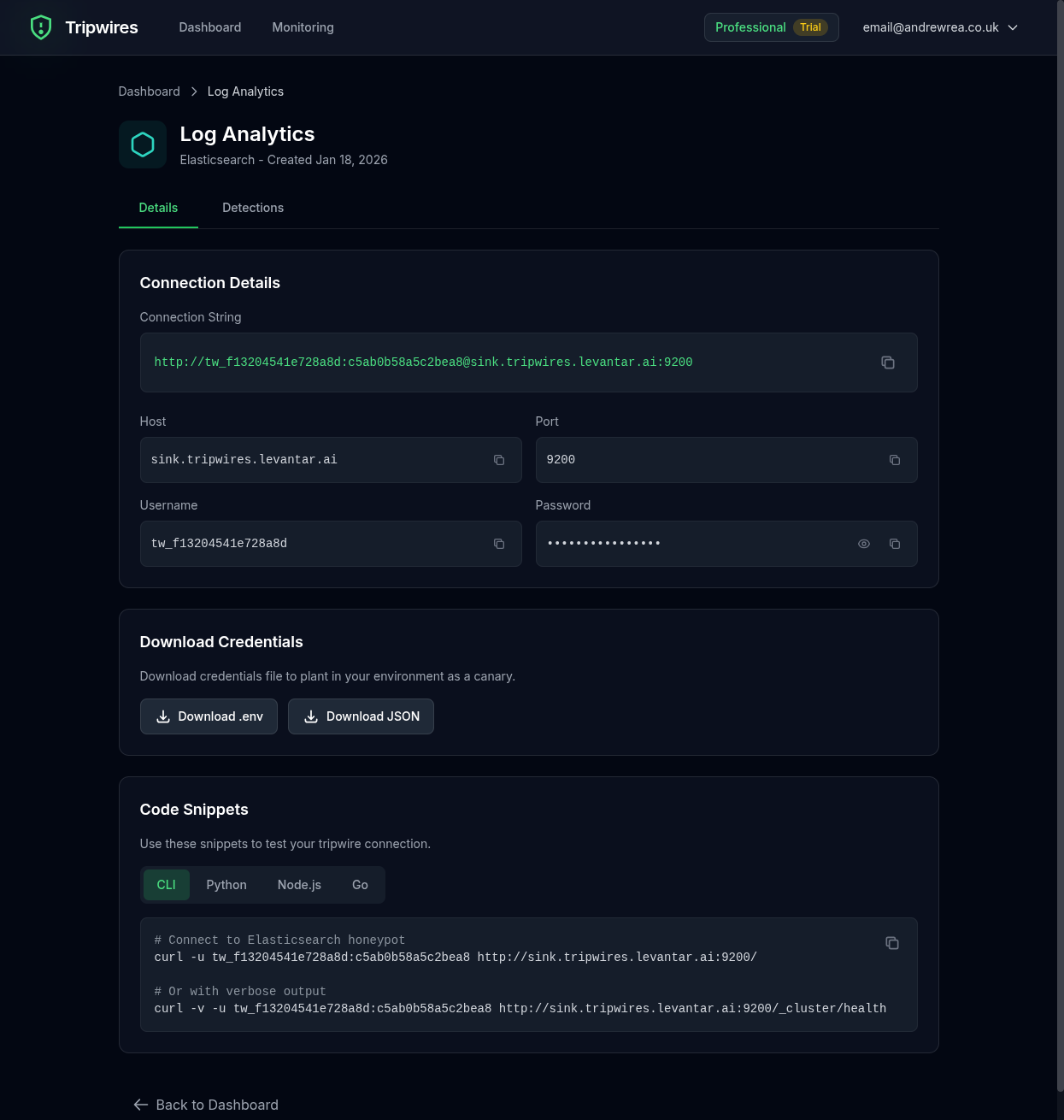
Standard URL
https://user:password@es-xxx.gettripwires.com:9200curl Command
curl -u user:password https://es-xxx.gettripwires.com:9200/_cluster/healthPython (elasticsearch-py)
from elasticsearch import Elasticsearch
es = Elasticsearch(
    ['https://es-xxx.gettripwires.com:9200'],
    basic_auth=('user', 'password')
)
Logstash Output
output {
  elasticsearch {
    hosts => ["https://es-xxx.gettripwires.com:9200"]
    user => "user"
    password => "password"
    index => "logs-%{+YYYY.MM.dd}"
  }
}
Strategic Placement Ideas
ELK Stack Configuration
Leave as "archive cluster" credentials in Logstash configs.
Kibana Settings
Add as "backup Elasticsearch" in kibana.yml files.
APM Configuration
Include in application performance monitoring setup files.
Data Exfiltration Target
Elasticsearch clusters are frequently targeted because they often contain aggregated logs, security events, and business data that can reveal the entire scope of an organization's infrastructure.